レナート   TBFKAYIBYNYAAYB   ﻟﻴﻨﺎﺭﺕ

Sun, 21 Feb 2010

Speaker Setup

While tracking down some surround sound related bugs I was missing a speaker setup and testing utility. So I decided to do something about it and I present you gnome-speaker-setup:

gnome-speaker-setup

The tool should be very robust and even deal with the weirdest channel mappings. OTOH the artwork is not really good and appropriate. But I hope it still shows some resemblance to other UIs of this type. If you are an artist wand want to contribute better artwork make sure to go through the Gnome Art Requests page, and more specifically this particular request.
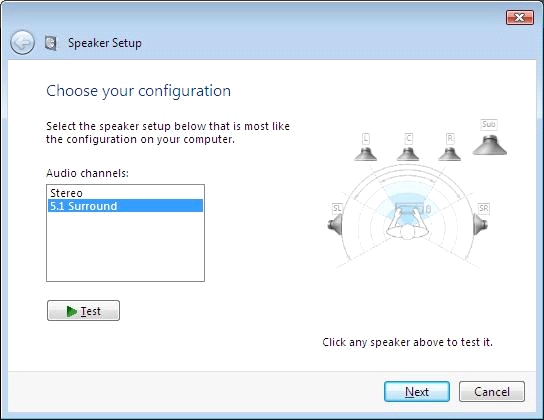
This (or something like it) will hopefully and eventually end up in some way or another in gnome-media. Until that day comes I'll maintain this tool independently.

To compile this you need a recent Vala and libcanberra 0.23.

posted at: 00:58 | path: /projects | permanent link to this entry | 18 comments


Posted by mike at Sun Feb 21 01:32:56 2010
Wouldn't GTK allow you to rotate the speakers to the center?

This, and renaming "low frequency emitter" into subwoofer would make it very userfriendly.

But even without these small changes, it's looking good :)

Posted by Lennart at Sun Feb 21 01:39:23 2010
mike: maybe gtk allows me to rotate them. However those are standard theme icons, so I wouldn't know their default orientation, so I cannot rotate them to some particular angle either.

And besides that simply rotating the images is probably not enough, because the perspective would not be correct.

Posted by Colin Guthrie at Sun Feb 21 01:56:14 2010
I presume the three drop downs are Card, Profile and Sink Port respectively? What happens if a Profile supports more than one sink? I guess it's pretty rare but maybe people want both Analog and Digital both enabled on h/w that supports it?

Posted by Lennart at Sun Feb 21 02:11:01 2010
Coling: there are actually four comboboxes. Card, Profile, Sink and Port. Profile and Port are hidden if there is nothing to choose from. What you see above is Card, Profile, and Sink.

Posted by Graham Lyon at Sun Feb 21 03:50:23 2010
Very nice. Perhaps this would go better integrated into the panel where you setup your speakers in gnome though? That way you could test them as you're selecting your audio profile. That would be really nice and I've been wanted a feature like this for a while now :)

Posted by ethana2 at Sun Feb 21 07:02:24 2010
Looks like a job for Clutter..

Posted by Martin at Sun Feb 21 08:25:30 2010
Really cool and useful app!

I think that "emitter" is misspelled as "emmiter", though!

Posted by chris2 at Sun Feb 21 11:27:25 2010
Well done! Would be neat if it could be integrated into the sound applet as a little "Test" button.

Posted by Erik Snoeijs at Sun Feb 21 14:59:14 2010
This would be wonderful, I've always wondered if my 5.1 was actually working like a 5.1. This would be a great addition to test if everything actually works like it should.

Posted by Chris Hills at Sun Feb 21 19:17:15 2010
Nicely done. Just one niggle: L.F.E. is an acronym for "low frequency effects".

Posted by Lennart at Sun Feb 21 19:23:06 2010
Chris: the channel is called "lf effects", the speaker is called "lf emitter" or "subwoofer". See wikipedia.

Posted by Ugh... at Mon Feb 22 10:47:15 2010
Gosh, this is why fanboys call Gnome ugly. Gray on gray is just... ugh! :/

Posted by Peter at Mon Feb 22 11:51:03 2010
Hi Lennart,

great stuff! While you're at it, would it be possible to remap the speaker positions in this dialog? Ubuntu is so much incapable of fixing those surround bugs and there is no easy way to do this. I am one of those guys with broken surround once again.

Thanks in advance!
P.

Posted by WOut at Mon Feb 22 13:26:02 2010
Great start, I really doubt if my girlfriend/mother/uncle will understand "low frequancy Effects/Emmiter"?

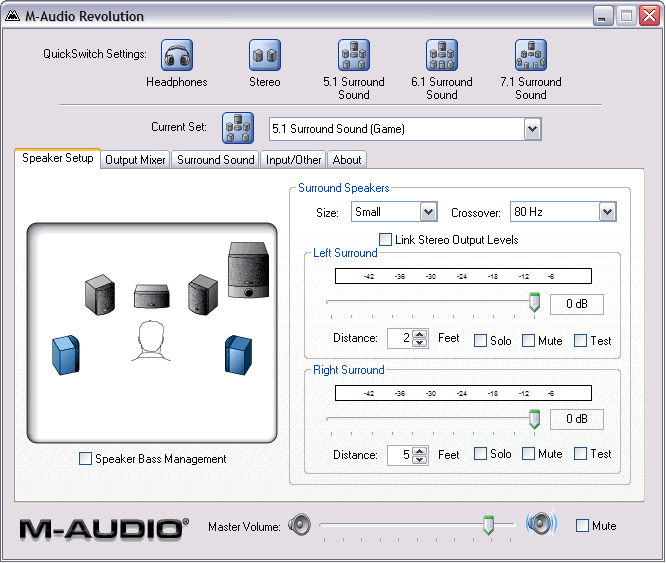
A quick google gave me this picture: http://shockwave-sound.com/content/img/surround-illustration.gif

Generall question:Would it be helpfull if the user could adjust the room size and speaker location and this app would adjust the volumes accordingly?

Posted by Chris Hills at Mon Feb 22 13:46:38 2010
Lennart: LFE should not be confused with subwoofer. LFE is a dedicated track consisting only of low frequencies, wheras subwoofer is a combination of the L/R channels used to augment the low frequences. Subwoofer speakers are often used for the playback of the LFE track.

Posted by Scott Baker at Mon Feb 22 19:23:22 2010
As a follow up to WOut this is also a good image to strive for.

http://hd.foxtel.com.au/img/hd-surround-sound-set-up.gif

Posted by Adam Williamson at Tue Feb 23 03:49:33 2010
Chris is right, just label the subwoofer as Subwoofer. This is a) understandable and b) actually correct - as Chris says, 'LFE' is the correct term for the track in the audio data, not the speaker. There's always an LFE track in x.1-encoded audio, even if you're not playing it over a system which has a subwoofer.

Posted by Mark at Fri Mar 12 17:11:28 2010
Nice. I'd love to try doing automatic volume adjustment (with a microphone), centering to
the listener position.

Leave a Comment:

Your Name:


Your E-mail (optional):


Comment:


As a protection against comment spam, please type the following number into the field on the right:
Secret Number Image

Please note that this is neither a support forum nor a bug tracker! Support questions or bug reports posted here will be ignored and not responded to!


It should be obvious but in case it isn't: the opinions reflected here are my own. They are not the views of my employer, or Ronald McDonald, or anyone else.

Please note that I take the liberty to delete any comments posted here that I deem inappropriate, off-topic, or insulting. And I excercise this liberty quite agressively. So yes, if you comment here, I might censor you. If you don't want to be censored your are welcome to comment on your own blog instead.


Lennart Poettering <mzoybt (at) 0pointer (dot) net>
Syndicated on Planet GNOME, Planet Fedora, planet.freedesktop.org, Planet Debian Upstream. feed RSS 0.91, RSS 2.0
Archives: 2005, 2006, 2007, 2008, 2009, 2010

Valid XHTML 1.0 Strict!   Valid CSS!